.svg)
For B2B SaaS marketing leads choosing between Webflow Team Plan and Enterprise in 2026.
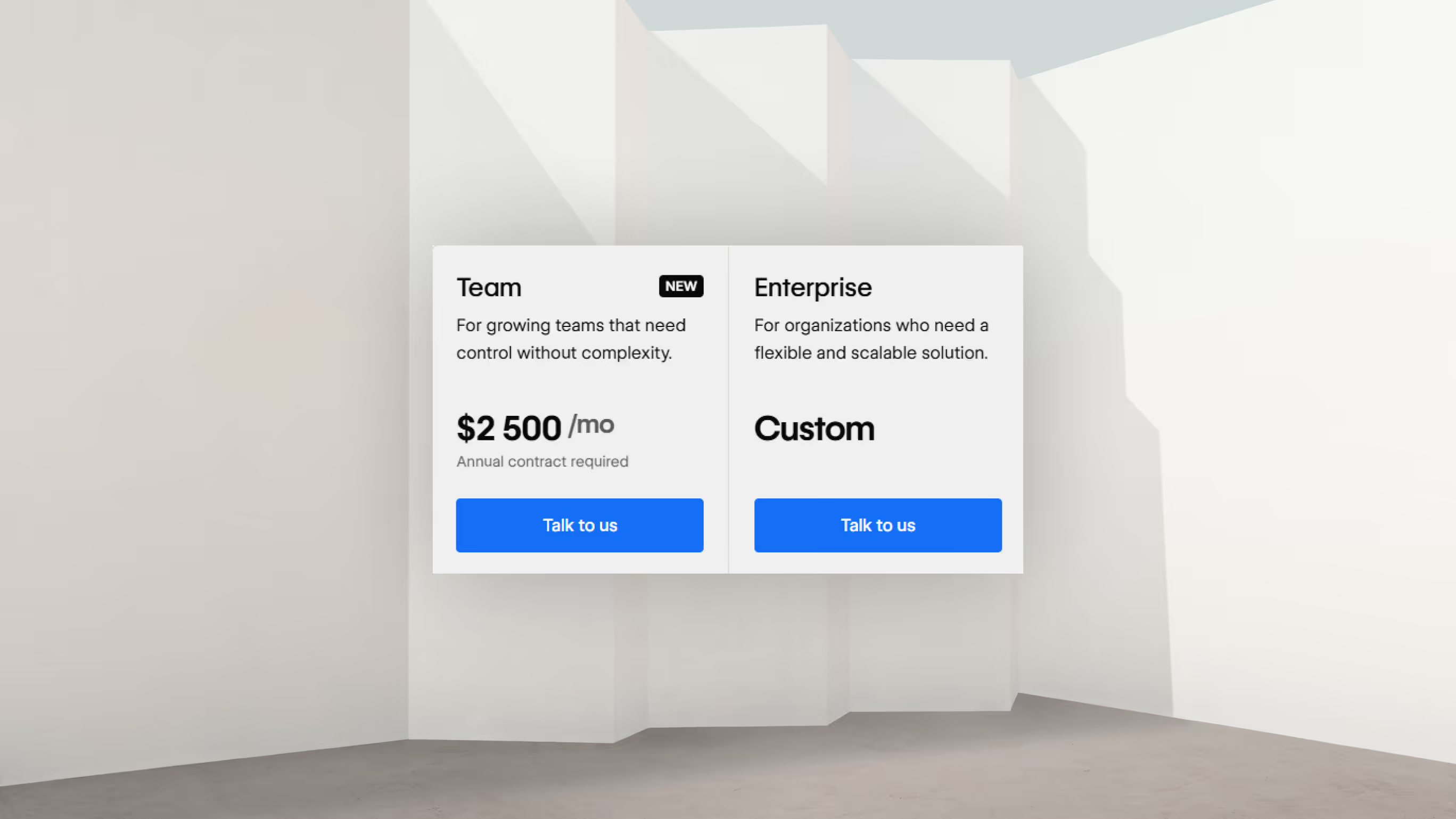
Webflow Team Plan is a $2,500-per-month bundle aimed at marketing teams of six to fifteen people that have outgrown self-serve but don't need Enterprise's governance layer. You get page branching, custom SSL, native Localization, AEO agents, a 99.9% uptime SLA, and 24/7 priority support in one annual contract. Enterprise is the custom-quoted tier above that, and what distinguishes it isn't really features. It's identity (SSO, SCIM, custom roles), governance (audit logs API, compliance artifacts), and contract structure (Master Service Agreement, invoice billing, written SLAs with response time guarantees). If your security team is asking about SSO or your procurement team needs an MSA, you need Enterprise. If they're not, you almost certainly don't. Most B2B SaaS companies between Series A and Series B fit Team Plan. The signal that you've outgrown it is rarely about scale. It's about identity, contracts, and compliance.
For the last two years, every B2B SaaS marketing lead who came to Karpi Studio with a Webflow tier question got the same answer. Either you're on Business and squeezing it, or you're on Enterprise and paying for governance you probably don't use. On May 13, 2026, Webflow shipped a new Team Plan that sits between those. We've spent the weeks since helping clients figure out where they actually belong.
This is the honest comparison. What's in each tier, what's still locked behind a custom contract, what each plan actually costs (with what we can and can't say), and how to decide.
What's the difference between Webflow Team Plan and Enterprise?
The shift matters because the May 2026 restructure took features that used to require an Enterprise contract (page branching, custom SSL, native Localization, AEO agents) and put them inside a $30,000-per-year bundle. For B2B SaaS marketing teams that previously had to negotiate Enterprise quotes purely to get one of those features, the Team Plan removes that pressure. The decision now comes down to whether you also need the identity, governance, and contract structure that only Enterprise provides. Below is what each tier actually includes, what stays locked behind a custom quote, and how to pick the right one for your team size, traffic, and compliance posture.
What features does Webflow Team Plan share with Enterprise?
The headline of the May 2026 restructure is what Webflow moved out of Enterprise-only and into Team. Six months ago, if you wanted page branching to prevent publish accidents, custom SSL certificates for your security team, or native Localization across three or four markets, you were on the phone with a Webflow account executive negotiating an Enterprise quote. Now you sign a Team Plan contract and move on.
Team Plan now includes a list of features that previously required Enterprise: page branching with merge workflows, single-page publishing instead of full-site republishing, advanced staging-to-production publishing workflows, a site activity log with API access, bring-your-own-cert custom SSL, configurable security headers (HSTS, CSP, frame options), native Localization with no separate add-on, AEO agents for AI search visibility, content management API rate limits at 600 RPM (five times the self-serve cap), 24/7 priority support, a 99.9% uptime SLA, and 30 TB of monthly bandwidth versus 2.5 TB on the new Premium tier. That's a real shift. We had a fintech client spend four months last year evaluating Enterprise primarily because their compliance team wanted custom SSL. Today the same conversation ends in an afternoon with a Team Plan contract. Source for the full feature list: Webflow's pricing page and the May 2026 plan update announcement.
What's still locked to Enterprise only?
Identity is the first thing that pushes you off Team Plan. If your security team requires SAML single sign-on, SCIM provisioning, or just-in-time user creation tied to Okta or Azure AD, none of that exists on Team. Same for custom roles and granular per-collection access controls. We've watched clients try every workaround for SSO short of upgrading, and there isn't one. The day your CISO mandates SSO across marketing tooling is the day you start the Enterprise conversation.
Governance is the second. Enterprise gives you an audit logs API you can pipe into Splunk, Datadog Security, or Sumo Logic for SIEM ingestion. Site activity log retention extends up to a year. SOC 2 Type II and ISO 27001 artifacts become available on request, which matters when your prospects' security teams send vendor questionnaires. A procurement question like "can you export audit logs to our security tooling?" is an Enterprise question.
Contract structure is the third. Non-Enterprise is credit-card billing only. If your accounts payable team can't process Webflow on a Visa, you're forced into Enterprise for invoice billing, PO workflows, a signed MSA, custom liability terms, and data processing addenda. We've seen otherwise-perfect Team Plan candidates get bumped to Enterprise purely because their CFO wouldn't approve recurring credit card charges above a threshold. The same dynamic shows up in BRIX Templates' Enterprise evaluation for anyone wanting an independent reference.
The fourth category is premium SLA and dedicated humans. Team Plan's SLA is 99.9% (about 8 hours and 45 minutes of allowed annual downtime). Enterprise's is up to 99.99% (52 minutes annually, contract-dependent). Enterprise also includes written response time SLAs, a dedicated Customer Success Manager, and on larger contracts a Solutions Architect for migration work.
The fifth is custom scale. Beyond Team's 20,000 CMS item cap, you're in Enterprise territory. Same for bandwidth packages above 30 TB, API rate limits above 600 RPM, multi-site or multi-brand contracts under a single MSA, custom staging domains that replace webflow.io, private auth-gated staging environments, enhanced DDoS options beyond Fastly's baseline, and Webflow's Web Application Firewall. None of those are nice-to-haves. Each one either exists as a hard requirement in your procurement, security, or compliance process, or it doesn't.
How much does Webflow Team Plan cost? And Enterprise?
Team Plan is published. Enterprise isn't.
Team Plan runs $2,500 per month on an annual contract. There's no monthly billing option. That works out to $30,000 a year, which bundles a single site with 100 CMS collections and 20,000 CMS items, 30 TB monthly bandwidth, 500 static pages, five full seats, five limited seats, up to 100 free reviewer seats, native Localization, AEO agents, and 24/7 priority support. Additional full seats run $39 per month, limited seats $15. The numbers come straight from Webflow's pricing page.
Enterprise pricing is where we have to be careful. Karpi Studio is a Premium Webflow Enterprise Partner under NDA, so we won't share Enterprise contract specifics in this article. What we can tell you is what drives the price: bandwidth volume, CMS item count, seat count, SSO requirement, SLA tier, and the add-on bundle (Optimize for CRO, Analyze for analytics, the full AEO agents stack). The lowest-end Enterprise tier (security headers, bandwidth scaling, and priority support without the full governance suite) sits well above Team Plan. The governance suite (SSO, contractual SLA, dedicated CSM, MSA) is a meaningful step up from that entry tier. Multi-region or multi-brand deployments go significantly higher again.
If you want directional public estimates, third-party Webflow agencies have published Enterprise pricing ranges in their evaluation posts. BRIX Templates and Flowninja are the most thorough. Treat those as orientation, not contractual. Real quotes get negotiated against your specific scale, your add-on bundle, and what you're willing to commit to on contract length.
The math against stitching it together yourself is worth running before signing anything. A B2B team on the new Premium plan plus a Growth Workspace with five full seats plus Localization for three markets plus the entry-tier Optimize plus the entry-tier Analyze pays roughly $7,800 per year (Flowninja's pricing breakdown has the line items). Team Plan at $30,000 is about 3.8 times that à-la-carte stack. The math only flips in Team's favor when you also need page branching, custom SSL, the 99.9% SLA, AEO agents, or you have more than six to eight active marketers needing full seats. Below that threshold, à-la-carte is cheaper and the bundling premium doesn't pay back.
Who should be on Webflow Team Plan?
The profile we see across our B2B SaaS client base is consistent. You're between Series A and Series B/C. The company is somewhere between fifty and three hundred people. The marketing team that actually touches the website is six to fifteen. If a team that size still needs a week to ship a landing page, the plan tier isn’t your problem. Component architecture is. You have one primary marketing site, maybe one or two campaign microsites under the same brand. Your monthly bandwidth runs under 10 TB (most B2B sites are well under 5 TB even at scale). Your CMS lives are under 20,000 items: blog posts, case studies, glossary entries, product pages, team bios. You're not a media property.
The features pulling you toward Team Plan are usually a combination of these. Page branching, so a junior marketer can't break the homepage with one bad merge. Native Localization for two to five markets, without paying $9 to $29 per locale per month à la carte. Custom SSL, because your security team wants to issue certificates through your own CA. AEO agents, because you've watched ChatGPT and Perplexity become real referral channels and you want Webflow's tooling for citation tracking. Bundled billing, because consolidating four vendor invoices into one matters more to your finance team than they'll usually admit.
What you don't have yet is an SSO mandate, a SOC 2 audit on the marketing stack, or a vendor security review asking for an audit logs API export. If your security team has bigger fights to pick than SSO on the marketing CMS, you're a Team Plan candidate. The day they pick that fight, you become an Enterprise candidate.
Who should be on Webflow Enterprise?
The Enterprise signal is rarely about features. It's about requirements that aren't negotiable. SSO is the most common trigger we see, and the cleanest one. SAML through Okta, Azure AD, or whatever IdP your IT team chose is a yes-or-no decision, and Webflow's answer on Team Plan is no.
Procurement is the second. Some accounts payable departments won't process recurring credit card charges above a threshold, and a $30,000 annual line item often crosses that line. The MSA, the invoice billing, the PO workflows, the custom liability terms come with Enterprise and only with Enterprise. We've had Team Plan candidates upgraded purely because of how their company pays for software, not what the software does.
Compliance is the third. A vendor security review asking for SOC 2 Type II artifacts, ISO 27001 documentation, or an audit logs API export to your SIEM is an Enterprise conversation. This comes up most often when our clients sell into regulated industries (healthcare, finance, government) and their prospects treat the marketing site as part of the attack surface. The same logic applies internally when a company starts its own SOC 2 prep and the marketing CMS gets pulled into scope.
SLA is the fourth, though it's rarer than the first three. A written 99.99% uptime SLA with response time guarantees and service credits for breach is an Enterprise-only thing. Most B2B SaaS sites operationally don't need it. The companies that do are usually running revenue paths through the website itself: high-value demo bookings, gated trials, paid product flows where minutes of downtime translate to measurable lost revenue.
Custom scale is the fifth. CMS scale beyond 20,000 items per site without splitting content (which creates SEO and editorial complexity). Multi-brand or multi-region architecture under one MSA with pooled bandwidth. Custom API rate limits beyond 600 RPM for high-frequency integrations.
The last one is dedicated humans on the Webflow side. A CSM relationship for quarterly business reviews. A Solutions Architect for migration support. A written escalation path. These come with Enterprise contracts and matter most for teams running mission-critical sites with internal handoffs between marketing, dev, and product.
If none of those are true for you, Enterprise is overhead. Don't pay for governance you won't operationalize. The companies that get the most value from Enterprise are the ones who actually configure SSO, build custom roles, hit the audit log API, and use the CSM relationship. The companies that don't are the ones who could've stayed on Team and never noticed the difference.
Can you start on Team Plan and upgrade to Enterprise later?
Yes, and the upgrade path is genuinely clean. You don't rebuild the site. Your CMS data, collections, styles, custom code, domain, slugs, and 301 redirects all carry over. What changes is the contract structure (you sign an MSA), the billing (invoice replaces credit card), the workspace features (SSO and custom roles become available), and the SLA tier (renegotiable up to 99.99%).
The conversation usually starts when one of the Enterprise triggers fires. A new CISO arrives and mandates SSO. Procurement formalizes contracts above a certain threshold. Compliance kicks off SOC 2 prep. A prospect's security review asks a question that Webflow can't answer at the Team tier. From the first "we need to talk" call to a signed MSA, four to eight weeks is typical if both sides move with intent.
The risk if you wait too long is an enterprise sales motion that gets blocked because your security questionnaire response can't truthfully say "SSO is configured." That's a real failure mode. The fix is straightforward (sign the Enterprise contract, enable SSO), but the timeline can be tight if you're thirty days out from a prospect's procurement deadline. If you have any inkling SSO is coming, start the Enterprise conversation before you need to. The worst time to negotiate an Enterprise contract is under time pressure.
What hosting and infrastructure differences matter for B2B?
Webflow's underlying infrastructure is the same across all tiers. The compute layer is Amazon Web Services. The CDN is Fastly with more than 260 points of presence across North America, Europe, Asia-Pacific, and Latin America. SSL is automatically provisioned via Let's Encrypt for custom domains on paid plans, with custom certificate upload available on Team and Enterprise. DDoS protection comes from Fastly's baseline volumetric defense, with enhanced options on Enterprise. Every published page is pre-rendered into static HTML, CSS, and JavaScript and pushed to the edge on publish, which is why Webflow sites stay fast under traffic spikes. Fastly serves cached pages without going back to AWS.
What changes by tier is straightforward:
| Aspect | Premium | Team | Enterprise |
|---|---|---|---|
| Bandwidth cap | 2.5 TB/mo | 30 TB/mo | Custom, no ceiling |
| Uptime SLA | Best-effort | 99.9% | Up to 99.99% (contract-dependent) |
| Custom SSL | No | Yes | Yes |
| Security headers | Default | Configurable | Custom + HSTS toggle |
| DDoS | Baseline | Baseline | Enhanced options |
| Web Application Firewall | No | No | Yes |
For B2B SaaS specifically, three of those rows matter most.
The jump from 2.5 TB to 30 TB monthly bandwidth is the constraint that most often pushes growth-stage companies off Premium. Most B2B marketing sites run under 5 TB monthly even at scale. The 2.5 TB Premium cap is the hard wall once a content marketing engine starts producing traffic, and once you're past it, you stay past it.
The SLA gap looks bigger on paper than it is in practice. The difference between 99.9% and 99.99% is 8.76 hours of allowed downtime per year versus 52 minutes. For a marketing site that drives 30%+ of pipeline, that gap can be real money in lost demos. For most B2B sites, 99.9% is operationally fine. Enterprise's 99.99% justifies its contract premium only when your revenue exposure to a multi-hour outage genuinely exceeds the cost.
Custom SSL is the line item that surprises buyers. If your security team wants to issue and rotate certificates through your own certificate authority (often required for SOC 2 compliance), Team Plan supports that. Premium doesn't. That alone can be the upgrade trigger from Premium to Team without any other feature need entering the conversation.
How does this compare to other enterprise hosting options?
The honest answer is "depends what you're building." We'll keep this short, because the brief was a Webflow tier comparison, not a CMS shootout. For orientation, here's where Webflow sits in the B2B enterprise stack.
WordPress VIP runs from roughly $2,700 to $25,000 per year and offers a hybrid architecture (traditional, headless, or partial decoupled). It has the strongest editorial workflow on the market thanks to Gutenberg, and it's the lowest-cost option in this comparison. The trade-off is plugin sprawl, security surface area, and ongoing dev maintenance even at the VIP tier (sourced comparison from WP VIP itself).
Contentful as a headless CMS plus Vercel or Netlify for frontend hosting runs $50,000 to $150,000 a year on the Contentful side, with frontend hosting separate (Vercel adds anywhere from $20 to $3,500+ per month). It's API-only. You build the frontend yourself. The strength is multi-channel content, true composable architecture, and strong governance. The cost is dev-heavy operations and a content team that's structurally disconnected from the frontend (Clear Digital's enterprise comparison covers this trade-off well).
Webflow Team Plan at $30,000 a year sits above WordPress VIP's entry tier but well below Contentful Enterprise. The trade-off is visual editing plus bundled hosting plus integrated CMS versus the flexibility of a true headless stack. Webflow Enterprise we won't quote specifically (the NDA again), but the public third-party ranges put it in the same neighborhood as WordPress VIP's mid-to-upper tier and well below Contentful + Vercel for comparable scale.
For most B2B SaaS marketing sites, Webflow Enterprise is the lower-operational-overhead option versus Contentful + Vercel. The exception is companies running content as a product, things like a high-volume media property, a knowledge base at media scale, or multi-channel content syndication. Headless wins there.
What we'd tell a B2B founder choosing right now
If you're under eight active marketers and your security team isn't asking about SSO yet, stay on the new Premium plan with a Growth Workspace and buy Localization à la carte. A roughly $7,800-per-year stack is cheaper than the $30,000 Team Plan bundle. The Team Plan premium is for consolidation, bundled support, and Team-only features like page branching, custom SSL, and AEO agents. Don't pay it until you actually need them.
If you have more than eight active marketers in Webflow, or you've decided you need page branching after one too many publish accidents, or you want Localization across three or more markets, or you want custom SSL for SOC 2 prep, or you want AEO agents because AI search is becoming a real channel, Team Plan is the right call. The all-in-one math wins, the support tier improves, and consolidating multiple vendor invoices into one is worth more to a finance team than they'll usually admit. Most of our B2B SaaS clients fit here today.
If your security team is mandating SSO, procurement requires an MSA, compliance wants SOC 2 artifacts, or you're running multi-brand sites under one parent organization, you need Enterprise. Below that threshold, Enterprise is overhead. Don't pay for governance you won't use.
Two questions answer most of the decision. Do you have eight or more marketers actively in Webflow? And does your security team have a documented SSO requirement? The first answer points you toward Team Plan. The second points you toward Enterprise. If both are no, you stay on Premium. If both are yes, you go straight to Enterprise.
If you want a second opinion on which tier fits your specific situation, that's what we do at Karpi. Twenty-minute tier-fit calls, no pitch. We've migrated companies in both directions, Premium up to Team and Team up to Enterprise, and we've helped a few customers walk back to a smaller plan when the bigger one didn't earn its cost. The right answer depends on your team, your traffic, and your compliance posture. Not on a sales rep's quota.
FAQ
Is Webflow Team Plan worth it for a 50-person B2B SaaS?
Yes, if six to fifteen of those fifty people actually touch the marketing site, you need page branching to prevent publish accidents, you want Localization in two to five markets, and your security team isn't demanding SSO yet. The $30,000 annual investment replaces a stitched-together Premium plus Workspace seats plus Localization plus Optimize stack that typically runs $7,000 to $12,000 à la carte. Team Plan wins on consolidation, support tier, and the AEO agents inclusion. If only one or two people edit the site, stay on Premium.
What are Webflow Enterprise's limitations?
The biggest one is that support is email-first even on Enterprise. Phone support is contract-negotiable but not guaranteed, and English is the only supported language. Page branching can lose content edits made to the original page while a branch exists, so teams have to treat the original as locked during branching. The publishing workflow's pre-publish summary doesn't include most site settings changes, only custom code. SSO doesn't auto-assign roles based on IdP groups, so role management stays manual inside Webflow. The 99.99% SLA is "up to" and depends on the specific contract terms negotiated. CMS scaling past 20,000 items typically means splitting content across sites, which creates SEO and editorial complexity. There's no backend scripting, no real Git-style version control, a 10,000-character total embed code limit per site, and no native installed connectors for Salesforce, HubSpot, or Segment. Hosting export doesn't include CMS data or interactions, so migration off Webflow is a partial rebuild. None of those disappear at Enterprise. They're platform limits, not tier limits.
Does Webflow Team Plan support custom SSL, CDN regions, or SSO?
Team Plan supports custom SSL certificates (bring your own cert from a third-party CA, you manage renewals). The CDN is Fastly's global network with more than 260 points of presence across North America, Europe, Asia-Pacific, and Latin America. CDN regions are not configurable. SSO is not available on Team Plan. SSO requires Enterprise.
Can I run multiple production sites on one Webflow Team Plan?
No. Team Plan includes one site. Additional sites require separate site plans (Premium at $25 per month each, or another Team Plan at $2,500 per month each). If you're running multiple production marketing sites under one brand or for different regions, the math typically tips toward Enterprise with a multi-site contract. Enterprise can pool bandwidth across sites and put everything under one MSA.
When should I upgrade from Webflow Team Plan to Enterprise?
When one of five triggers fires. Your security team mandates SSO. Procurement requires an MSA or invoice billing. A vendor security review asks for SOC 2 Type II artifacts or an audit logs API export. You need a contractual 99.99% SLA with response time guarantees. You're launching a second or third production site under the same brand and want them under one contract with pooled bandwidth. If none of those fire, stay on Team Plan. Upgrading "just in case" wastes money on features you won't operationalize.
Does Karpi help with Webflow Enterprise migrations and tier decisions?
Yes. Karpi Studio is a Premium Webflow Enterprise Partner with 200+ projects shipped, including Series A through pre-IPO migrations across all Webflow tiers. We've done Premium-to-Team migrations and Team-to-Enterprise upgrades. Our Webflow agency service page has more detail, and we offer twenty-minute tier-fit calls if you want a second opinion before signing.
Related reading on Karpi Studio
- Webflow pricing 2026: full plan breakdown (parent article)
- Webflow agency service
- Answer Engine Optimization service
- dYdX case study: +3,722% organic growth
- Blueberry Pediatrics case study: +144% conversions
- Karpi Studio becomes Premium Webflow Enterprise Partner
For what support each tier includes, see managed vs unmanaged customer success.
.avif)