
Automated Schema Markup for Webflow

Generate, validate, and deploy structured data across your entire Webflow site. Built for teams who want AI search engines to cite their content.

19% → 100%
Schema coverage. One session.
1 dashboard
No more clicking into every page to find what's missing.
15+ schema types
Supported out of the box.
JSON-LD
No technical knowledge required

the problem

Your site is covered. Just not the way you think.

You set up Organization schema. Maybe Article on the blog. Webflow's AEO assistant helped you get started — and that felt like enough. But you don't know which pages have FAQ schema and which don't. Whether your markup actually validates. What AI search engines see when they crawl you, and why they're citing your competitors instead of you.

How It Works

Step 01

Connect

Install Schema HQ on your Webflow site in one click. No code required.

Step 02

Generate

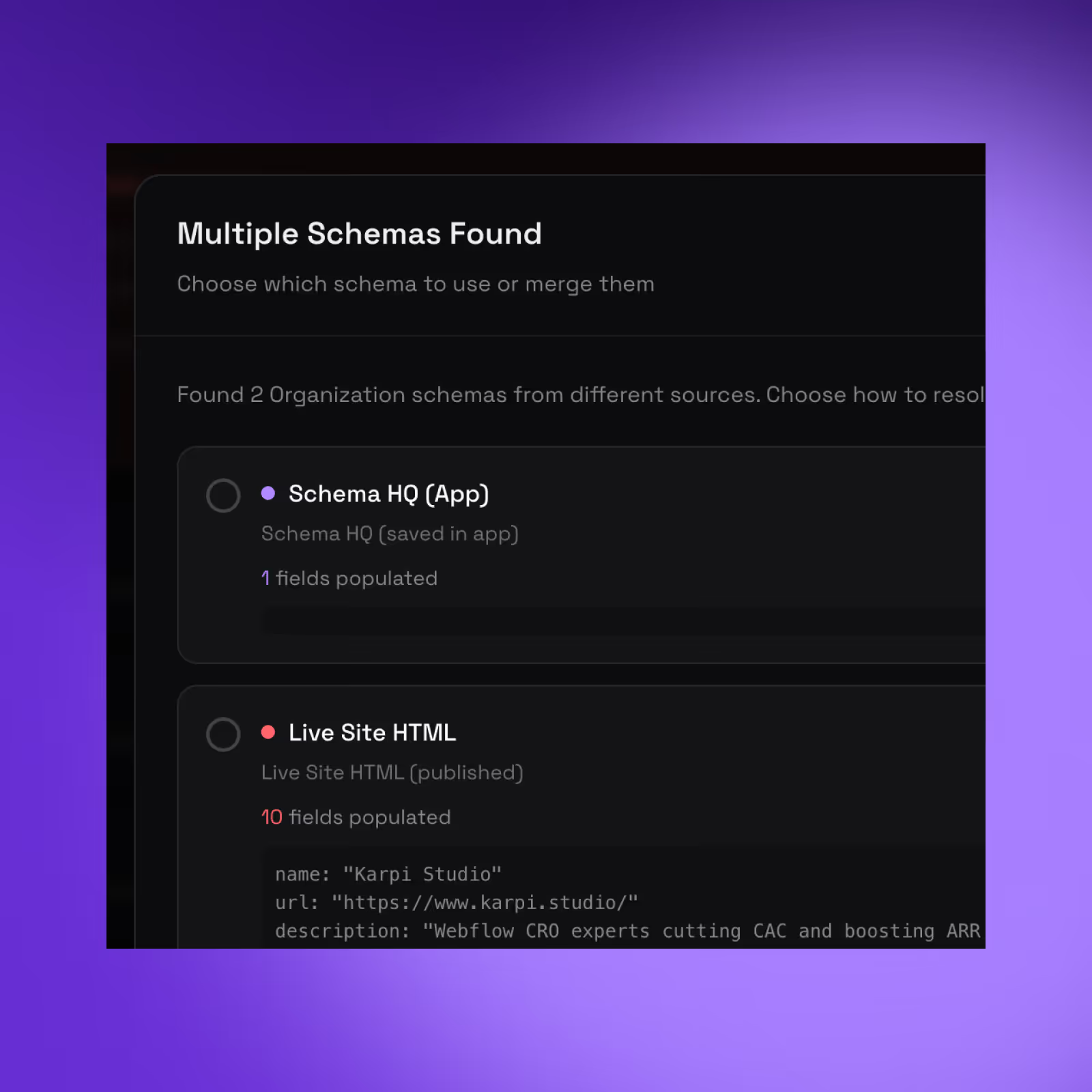
Schema HQ scans your entire site. Sees what's missing, what's broken, and what type belongs where — Article, FAQPage, Product, Service, and more. Then generates specification-compliant markup automatically.

Step 03

Deploy

Install Schema HQ on your Webflow site in one click. No code required.

What you get

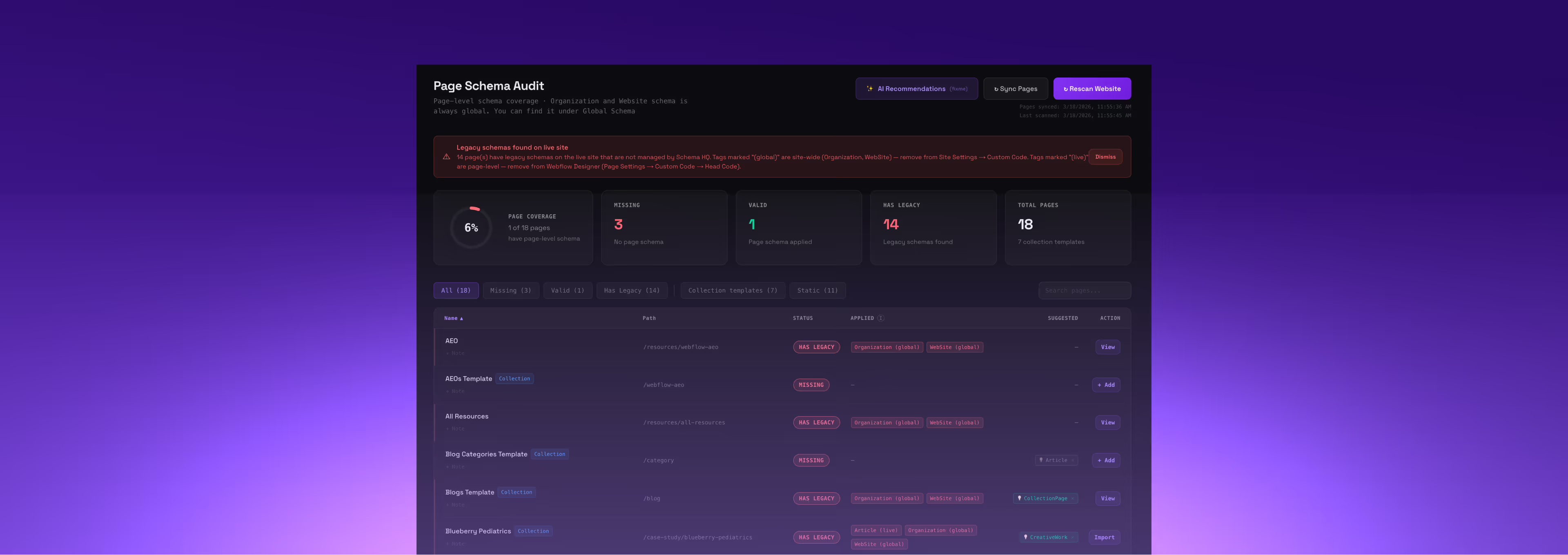
Full site visibility. One dashboard. Every schema type across every page. See what's covered, what's missing, and what changed — without clicking into anything.

Bulk editing Update a field once, apply it sitewide. Your entire CMS collection in one action, not fifty.

Full site visibility. One dashboard. Every schema type across every page. See what's covered, what's missing, and what changed — without clicking into anything.

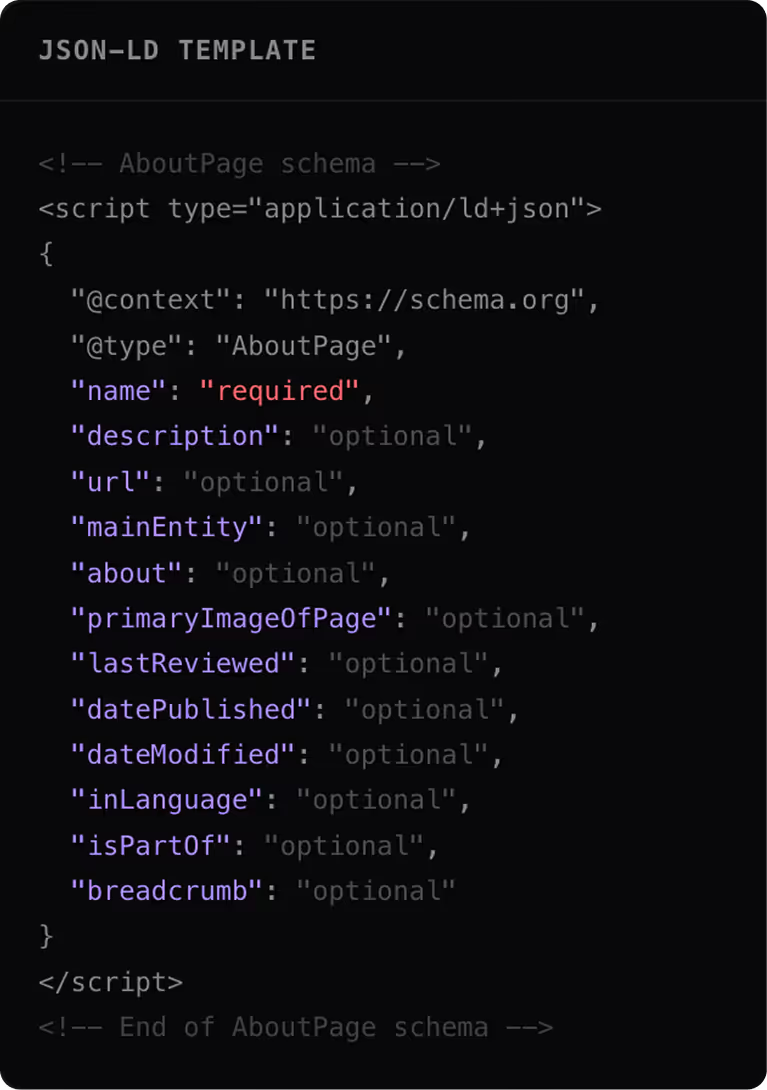
Auto-generation. Schema HQ reads your pages, recommends the right type, and generates spec-compliant markup — Organization, Article, FAQPage, Product, HowTo, LocalBusiness, and 10+ more. With proper @id cross-referencing across entities, the way Google actually wants it.

Validation. Checks against schema.org spec and Google's requirements before anything goes live.

Built for Webflow. Optimized for AI. Native Webflow Marketplace app — not a generic plugin. Structured for citation by ChatGPT, Perplexity, and AI Overviews, not just rich snippets.

How It Works

High-Traffic B2B SaaS

Series A+ companies with 50,000+ monthly visitors. Your website drives 30% or more of revenue. You already rank for some keywords but AI answer engines do not cite you. You need the technical layer that turns existing authority into AI visibility.

Webflow Agencies

Managing schema across 16+ client pages manually is a time sink. Schema HQ turns it into a repeatable service you can offer every client.

SEO / AEO Professionals

You know what proper schema coverage looks like. Now you have a tool that gets you there in one session instead of a week.

Frequently Asked Questions

Can our team update the site without a developer?

Yes, that's one of the main reasons we build on Webflow. We set up a component library with drag-and-drop blocks so your marketing team can spin up blog posts, webinar pages, job listings, or landing pages without touching code. We train your team during the project so they're fully self-sufficient after handoff. You own your site and control your content. No more waiting two weeks for a developer to change a headline.

Will we lose our SEO rankings during migration?

No. We have a dedicated SEO migration process that runs throughout the entire project. That means 301 redirects for every URL, meta title and description preservation, schema markup implementation, sitemap optimization, and Search Console monitoring. We migrated 600+ blog posts for one client and preserved their rankings. For another, we drove +3,722% Google Search growth after migration. SEO isn't an afterthought for us. It's built into every phase.

Why Webflow instead of WordPress?

We've been Webflow-only for six years. We're a Webflow Enterprise Partner. Webflow sites are faster out of the box, with no plugins slowing things down or creating security holes. Your marketing team can update content, spin up blog posts, or create landing pages without calling a developer. And Webflow hosting scales automatically. We've migrated 100+ sites from WordPress to Webflow without losing SEO rankings. For 95% of companies, Webflow is the better long-term platform.

What happens after the site goes live?

This is where we're different. Every project includes 60 days of post-launch optimization. We monitor real user behavior, run A/B tests on key pages, improve conversion rates, and fine-tune performance based on actual data. Most agencies launch and ghost you. We stick around until we've proven the site performs. After the 60 days, clients can continue with a monthly CRO or AEO retainer if the results justify it.

How long does it take to launch?

8 to 12 weeks, depending on scope and how fast your team moves on feedback. The first 2 weeks are strategy and discovery. Then 3 weeks of custom design, 3 weeks of development with SEO migration baked in, followed by 60 days of optimization. We've shipped 5-page sites in under a week when the design and content were ready. But we don't rush strategy. That's how you end up rebuilding in 6 months.

Be first in line

Early access launching Q2 2026. Founding members get lifetime Pro pricing.

Thank you! Your submission has been received!
Oops! Something went wrong while submitting the form.